• Cheats
  • Guides
  • Tutorials
  • Mods / Traits
  • Tools
  • How to…
  • Packs

Sims 4 Updates

Custom Content Downloads « Sims4 Finds!

  • Home
  • Sites
  • Banners
  • Contact
Home » Mods / Traits » DRIFT – a ReShade preset for TS4 at Picture Amoebae

DRIFT – a ReShade preset for TS4 at Picture Amoebae

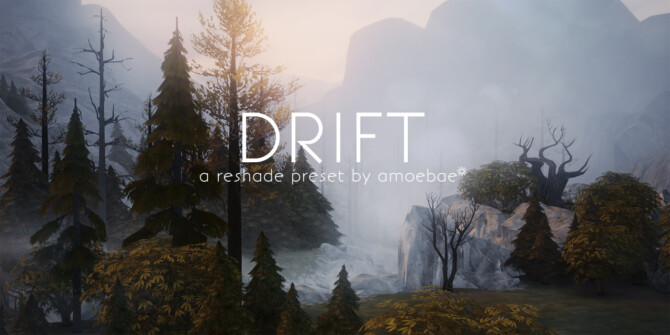
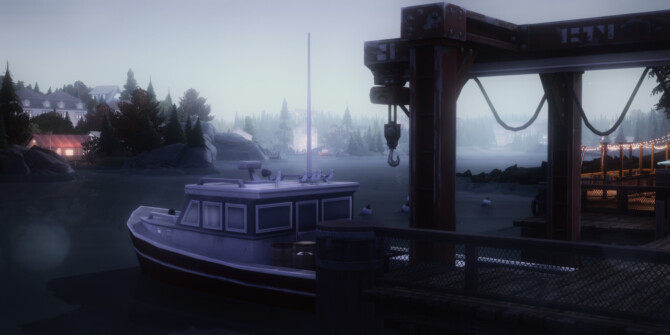
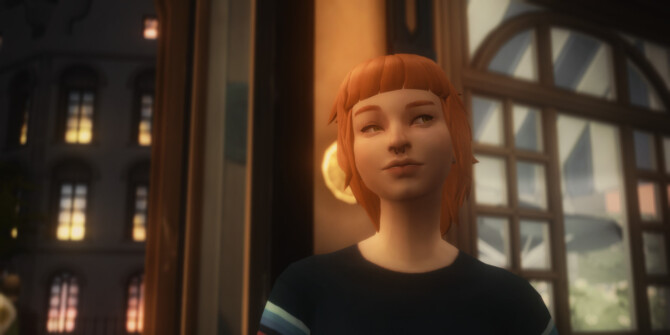
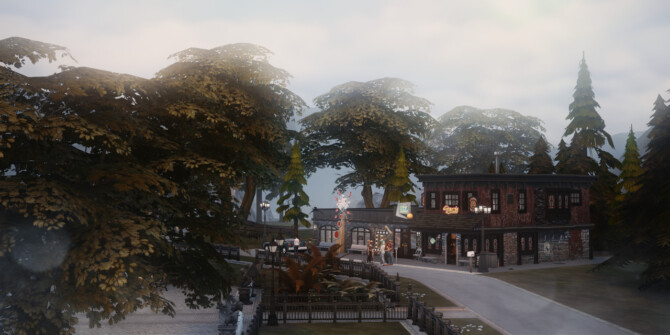
Sims 4 DRIFT   a ReShade preset for TS4 at Picture AmoebaeSims 4 DRIFT   a ReShade preset for TS4 at Picture AmoebaeSims 4 DRIFT   a ReShade preset for TS4 at Picture AmoebaeSims 4 DRIFT   a ReShade preset for TS4 at Picture Amoebae

Mods / Traits: DRIFT – a ReShade preset for TS4 – Picture Amoebae.

Drift’s foundation is a series of LUTs that contain all the colour grading information. In practice, I only ever really stuck with one of them (02), but in the early stages of production I couldn’t choose between them, so I’ve kept them all because options are good.

Where Drift shines is in all the various bloom options. There are seven (7!) bloom shaders set up, each of which can be used alone or layered with others. They each work best in different situations, and in the instructions I’ve listed each of them in the order they appear in the shader list, along with some notes for how I think they work well together, and in which conditions, as well as some hints about how to tweak them if needed.

Drift is a preset that to get the most out of it you’ll want to be comfortable turning shaders on and off, experimenting, and possibly even tweaking a few simple values in the shader settings themselves. You can of course just use the LUTs and basic options, but your screenshots won’t look like mine unless you roll up your sleeves and get stuck in.

Because of all the different bloom options, performance can take quite a hit at times depending on how many of them you enable together. Some have quality settings that you can reduce if you need to, or you can decide to forgo the more performance-intensive ones altogether.

Drift is ideally suited to scenery pictures, and is particularly beautiful at night. A couple of the bloom options (Blooming HDR and qUINT_Bloom) have been set up specifically for night use, and if you use them during the day they won’t look good (there may be some exceptions – play around and see!).

When using any of the bloom options, scenes with bright lights can get over-exposed very quickly. It can also sometimes be difficult to balance the brightness of Sims. Remember, you don’t have to use the bloom options in those situations, or you can experiment with different ones, and with tweaking their settings (for example, Ambient Light’s impact can be altered just by ticking a couple of boxes in the settings – instructions included).

Drift may be too much of a bother for some people, and that’s fine. But for those looking for dreamy, stunning screenshots it can be well worth the patience required.
Download

picture amoebae preset reshade Sims 4

Similar Custom Content:

Have Some Personality Please! by PolarBearSims at Mod The Sims
Alien Voices Changed to Human or Reaper by Shimrod101 at Mod The Sims
More Slots for objects at Oh My Sims 4
Promotions after level 10 for City Living Careers by Selliato at Mod The Sims
Adventurer Career by GoBananas at Mod The Sims
School Holiday (New Holiday Tradition) at LittleMsSam

Filed Under: Mods / Traits Tagged With: picture amoebae, preset, reshade, Sims 4December 25, 2021

« Christmas Boots at Alial Sim
Santa Claus Posters at Helen Sims »

Leave a Reply Cancel reply

Your email address will not be published. Required fields are marked *

Categories

  • Accessories (11,068)
    • Headwear (1,846)
    • Jewelry (6,510)
    • Miscellaneous (1,736)
    • Sunglasses / Glasses (420)
    • Tights / Stockings (625)
  • Animations (6)
  • Brows / Facial Hair (1,439)
  • Build / Walls / Floors (5,786)
  • Cars (765)
  • CAS Backgrounds (70)
  • Clothing (47,137)
    • Female Clothing (41,295)
    • Male Clothing (7,320)
  • Diverse (420)
  • Eyes (2,859)
  • Food (552)
  • Furniture (6,729)
    • Bathroom (322)
    • Bedroom (977)
    • Dining room (597)
    • Hall (92)
    • Kidsroom (280)
    • Kitchen (329)
    • Living room (924)
    • Miscellaneous (660)
    • Outdoor (298)
    • Single items (1,999)
    • Study / Office (265)
  • Guides (28)
  • Hairstyles (12,890)
    • New Hair Mesh (3,101)
  • Houses and Lots (14,831)
    • Community Lots (2,363)
    • Residential Lots (12,162)
    • Store / Shop (295)
  • Magazines (5)
  • Make Up (9,039)
    • Blush (930)
    • Eyeliner (1,385)
    • Eyeshadow (2,236)
    • Facepaint / Mask (340)
    • Lips (4,233)
    • Miscellaneous (55)
  • Meshes 3D (12)
  • Mods / Traits (2,828)
  • Objects (10,840)
    • Appliances (253)
    • Decor (9,288)
    • Electronics (310)
    • Lighting (650)
    • Miscellaneous (458)
    • Plumbing (123)
  • Patterns (34)
  • Pets (490)
    • Body Pets (57)
    • Miscellaneous (4)
    • Objects / Furniture Pets (94)
    • Pets Accessories (87)
    • Pets Clothing (86)
  • Plants (535)
  • Poses (1,321)
  • Rooms (1,660)
  • Shoes (3,159)
    • Shoes for females (2,932)
    • Shoes for males (421)
  • Sim Models (2,897)
    • Females (2,253)
    • Males (761)
  • Skills / Hobbies (112)
  • Skins / Skin details (1,083)
  • Sliders (2)
  • Tattoos (494)
  • Teeth (60)
  • Terrain Paints (172)
  • Tools (46)
  • Toys (130)
  • Tutorials (82)
  • Uncategorized (2)
  • Worlds (44)
VIEW ALL SITES
Sims 4 Updates - The Sims4 custom content downloads!
Sims 3 Updates

Advanced Search

Recent Comments

  • Anna Quinn on Contact
  • sims4-Boutique on Contact
  • Kass on Contact
  • Chalipo on Contact
  • Chalipo on Contact
  • Facebook
  • Pinterest
  • RSS
  • Twitter

Copyright · Sims 4 Updates - Daily finds from custom content sites and blogs since 2009!

This site is not endorsed by or affiliated with Electronic Arts, or its licensors.